The Best Fluffy Pancakes recipe you will fall in love with. Full of tips and tricks to help you make the best pancakes.

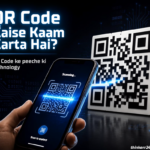
Aaj ke digital time mein aapne QR Code zaroor dekha hoga. Shop par payment karte waqt, restaurant mein menu open karte waqt, kisi product ki information check karte waqt ya kisi website ko mobile par open karne ke liye hum QR Code ka use karte hain.
Lekin kya aapne kabhi socha hai ki ek chhota sa square box smartphone ko itni saari information kaise bata deta hai ?
QR Code dekhne mein sirf black aur white squares ka pattern lagta hai, lekin iske peeche data encoding, image processing, error correction aur decoding jaise technical processes kaam karte hain.
Is article mein hum simple language mein samjhenge ki QR Code kya hota hai, QR Code kaise kaam karta hai, iske andar data kaise store hota hai, mobile QR Code ko kaise read karta hai aur UPI payment wala QR Code kaise work karta hai.
QR Code Kya Hota Hai?
QR Code ka full form Quick Response Code hai.
Ye ek type ka two-dimensional barcode hai, jisme information ko square-shaped pattern ke form mein store kiya jata hai. Traditional barcode ke comparison mein QR Code ki khaas baat ye hai ki ismein information ko horizontal aur vertical dono directions mein store kiya ja sakta hai.
QR Code ke andar alag-alag types ki information store ki ja sakti hai, jaise:
- Website URL
- Text
- Contact information
- Email address
- Wi-Fi details
- Product information
- Payment-related information
- Event ticket information
Jab smartphone QR Code ko scan karta hai, toh camera us pattern ko capture karta hai aur software usmein encoded information ko decode karta hai.
QR Code Ka Full Form Kya Hai ?
QR ka full form Quick Response hai.
Is naam ka reason ye hai ki QR Code ko quickly scan aur read kiya ja sakta hai.
QR Code technology ko Japan mein develop kiya gaya tha. Iska development Denso Wave ki team ne kiya tha aur Masahiro Hara is development se closely associated naam hai.
QR Code ko initially automobile manufacturing industry mein parts ko track karne ke liye develop kiya gaya tha.
Baad mein smartphones aur digital technology ke popular hone ke saath iska use bahut badh gaya.
QR Code Kaise Kaam Karta Hai ?
Ab sabse important question aata hai-QR Code kaise kaam karta hai ?
Is process ko simple example se samajhte hain.
Maan lijiye kisi QR Code ke andar ye URL stored hai:
QR Code generator is information ko directly words ki form mein print nahi karta.
Sabse pehle information ko machine-readable digital data mein convert kiya jata hai.
Uske baad QR Code ka encoding system data ko black aur white modules ke pattern mein arrange karta hai.
Jab aap QR Code ko smartphone se scan karte hain, toh process roughly is tarah hota hai:
Camera → QR Code Detection → Pattern Analysis → Data Reading → Error Correction → Decoding → Result
Yaani jo QR Code humein ek simple image dikhta hai, phone ke liye wo actually structured digital information hoti hai.
QR Code Ke Andar Data Kaise Store Hota Hai ?
QR Code ko dhyan se dekhen toh aapko bahut saare chhote black aur white squares nazar aayenge.
In chhote squares ko modules kaha jata hai.
Ye modules random nahi hote.
Jab QR Code generate hota hai, toh information ko ek specific encoding method ke according digital pattern mein convert kiya jata hai.
Is pattern mein actual data ke saath QR Code ko correctly read karne ke liye zaroori additional information bhi hoti hai.
Isi wajah se alag-alag websites, text aur payment information ke QR Codes ka pattern alag hota hai.
QR Code Ke Important Parts
QR Code ke andar sirf data hi nahi hota. Iske kuch specific structural elements bhi hote hain jo scanner ko QR Code samajhne mein help karte hain.
1. Finder Patterns
QR Code ke generally teen corners mein bade square patterns hote hain.
Inhe finder patterns kaha jata hai.
Inka main purpose scanner ko QR Code identify karne aur uski orientation samajhne mein help karna hai.
Jab phone ka camera kisi image mein QR Code detect karta hai, toh ye patterns software ko batate hain ki QR Code kis location par hai.
2. Timing Patterns
Finder patterns ke beech horizontal aur vertical direction mein special alternating modules hote hain.
Inhe timing patterns kaha jata hai.
Ye scanner ko QR Code ke grid aur individual modules ki positioning samajhne mein help karte hain.
3. Alignment Patterns
Bade QR Codes mein alignment patterns bhi use hote hain.
Ye QR Code ko distorted ya angled condition mein read karne mein help kar sakte hain.
For example, agar QR Code kisi curved surface par printed hai, toh alignment information scanner ke liye useful ho sakti hai.
4. Quiet Zone
QR Code ke charon taraf ek blank space bhi hota hai.
Isse quiet zone kaha jata hai.
Ye QR Code ko surrounding text aur graphics se separate karta hai.
Isi wajah se QR Code ke bahut paas unnecessary text ya design add karna scanning problem create kar sakta hai.
Mobile QR Code Ko Kaise Scan Karta Hai ?
Aaj ke smartphones mein QR Code scanning ka process kaafi fast hai.
Jab aap camera QR Code ke saamne rakhte hain, toh following process hota hai.
Step 1: Camera Image Capture Karta Hai
Smartphone ka camera QR Code ki image capture karta hai.
Image mein QR Code ke black aur white patterns present hote hain.
Step 2: QR Code Detect Hota Hai
Phone ka software image ko analyze karta hai aur finder patterns jaise structures ko identify karta hai.
Isse phone ko pata chalta hai ki image ke andar QR Code present hai.
Step 3: Orientation Identify Hoti Hai
QR Code thoda tilted ya rotated ho sakta hai.
Scanner QR Code ke structural patterns ki help se uski orientation identify karne ki koshish karta hai.
Step 4: Modules Read Hote Hain
Scanner QR Code ke individual modules ko read karta hai.
Black aur white patterns se encoded digital information extract ki jaati hai.
Step 5: Error Correction Apply Hoti Hai
Agar QR Code ka koi portion damaged ya unreadable ho, toh error correction system available information ki help se missing data recover karne ki koshish karta hai.
Step 6: Data Decode Hota Hai
Finally encoded data ko original information mein convert kiya jata hai.
Agar QR Code mein URL hai, toh smartphone website open karne ka option dikha sakta hai.
QR Code Mein Error Correction Kya Hoti Hai ?
QR Code ki ek interesting feature error correction hai.
Aapne kabhi dekha hoga ki kisi QR Code ka thoda portion scratched ya damaged hone ke baad bhi wo scan ho jata hai.
Ye error correction ki wajah se possible hota hai.
QR Code mein data ke saath additional redundancy information bhi store ki ja sakti hai.
QR Code standard mein commonly four error correction levels hote hain:
- L – Low
- M – Medium
- Q – Quartile
- H – High
Higher error correction level ka matlab generally zyada redundancy hoti hai, jisse QR Code damage hone par kuch data recover karne ki better possibility hoti hai.
Lekin iska matlab ye nahi hai ki QR Code completely damage hone ke baad bhi hamesha scan hoga.
Agar important structural areas ya bahut bada portion destroy ho jaye, toh QR Code unreadable ho sakta hai.
QR Code Black And White Kyu Hota Hai ?
Traditional QR Code mein black modules aur white background ka use common hai.
Iska main reason high contrast hai.
Camera aur image-processing software ke liye dark aur light areas ko identify karna easier hota hai.
Aaj ke time mein colorful QR Codes bhi banaye ja sakte hain.
Lekin color use karte waqt foreground aur background ke beech sufficient contrast hona important hai.
Agar QR Code ka color aur background bahut similar ho, toh scanning difficult ho sakti hai.
Kya QR Code Mein Logo Add Kar Sakte Hain ?
Haan, QR Code mein logo ya branding elements add kiye ja sakte hain.
Businesses marketing aur branding ke purpose se QR Code ke centre mein logo use karte hain.
Lekin QR Code ke important patterns ko excessively cover karne se scanning problem ho sakti hai.
Isi liye customized QR Code banane ke baad use different smartphones aur lighting conditions mein test karna important hota hai.
UPI QR Code Kaise Kaam Karta Hai ?
India mein QR Code ka sabse popular use UPI payments mein dekhne ko milta hai.
Jab aap kisi shop par UPI QR Code scan karte hain, toh payment application QR Code ke andar encoded payment-related information ko read karti hai.
Uske baad app payment screen par available information show kar sakti hai.
User amount enter karta hai aur payment ko authorize karta hai.
Yahan ek important baat samajhna zaroori hai:
QR Code khud payment transfer nahi karta.
QR Code mainly payment-related information ko machine-readable format mein provide karta hai.
Actual transaction compatible UPI/payment system aur banking infrastructure ke through process hota hai.
Isliye payment karte waqt QR Code scan karne ke baad recipient details aur amount verify karna important hai.
Static QR Code Kya Hota Hai ?
Static QR Code mein information directly QR Code ke andar encoded hoti hai.
For example, agar aapne kisi QR Code mein ek specific website URL encode kiya hai, toh scan karne par wahi URL provide hoga.
Agar information change karni ho, toh normally ek naya QR Code generate karna padta hai.
Static QR Code simple use cases ke liye useful hai.
Dynamic QR Code Kya Hota Hai ?
Dynamic QR Code ka concept thoda different hota hai.
Ismein QR Code ke andar generally ek URL ya identifier hota hai jo kisi online destination ya service se connected hota hai.
Is approach mein QR Code print hone ke baad bhi destination information ko service ke through update karna possible ho sakta hai.
Dynamic QR Codes businesses ke liye useful ho sakte hain, especially marketing campaigns aur tracking ke cases mein.
QR Code Mein Kitna Data Store Ho Sakta Hai ?
QR Code ki data capacity fixed nahi hoti.
Ye QR Code ke version, size, encoding mode aur data type par depend karti hai.
QR Code ka size badhne par modules ki number bhi increase ho sakti hai, jisse additional data accommodate kiya ja sakta hai.
Lekin practical applications mein QR Code ko unnecessarily complicated banana useful nahi hota.
For example, kisi long article ko directly QR Code ke andar store karne ke bajay us article ka URL QR Code mein store karna better ho sakta hai.
User QR Code scan karke website par complete article read kar sakta hai.
QR Code Ke Real-Life Uses
QR Code aaj sirf payment ke liye use nahi hota.
Digital Payments
UPI aur other digital payment systems mein QR Code ka widespread use hota hai.
Restaurant Menu
Restaurants customers ko physical menu ke bajay QR Code scan karke digital menu access karne ki facility de sakte hain.
Website Links
Companies posters, advertisements aur business cards par website ka QR Code print kar sakti hain.
Wi-Fi Sharing
Supported devices mein Wi-Fi network details ko QR Code ke through share kiya ja sakta hai.
Event Tickets
Events aur venues mein QR Code-based tickets verification ke liye use kiye ja sakte hain.
Product Information
Product packaging par QR Code ke through manuals, product details aur websites tak access diya ja sakta hai.
Contact Information
Business cards par QR Code add karke contact information share ki ja sakti hai.
QR Code Kitna Secure Hai ?
QR Code khud koi security system nahi hai.
Ye mainly information ko store aur transfer karne ka ek format hai.
Security ka issue tab aa sakta hai jab QR Code ke andar malicious website ya suspicious information encoded ho.
For example, koi attacker genuine-looking poster par fake QR Code laga sakta hai.
User scan karne ke baad phishing website par pahunch sakta hai.
Isliye unknown QR Code ko blindly scan nahi karna chahiye.
Especially payment ke time:
- Recipient name check karein
- Amount verify karein
- Suspicious links par personal details na daalein
- OTP ya password kisi unknown page par enter na karein
QR Code scan karna aur payment karna alag cheezein hain.
Scan karne ke baad screen par jo information dikh rahi hai, use carefully check karna chahiye.
Kya QR Code Scan Karne Se Phone Hack Ho Sakta Hai ?
Sirf QR Code scan karne se automatically smartphone hack ho jana normal situation nahi hai.
Lekin QR Code aapko kisi malicious website ya harmful destination par redirect kar sakta hai.
Isliye QR Code ko unknown link ki tarah treat karna better hai.
Agar scan karne ke baad koi suspicious website personal information, password, OTP ya banking details maangti hai, toh information enter nahi karni chahiye.
QR Code Itna Popular Kyu Ho Gaya ?
QR Code ki popularity ke peeche smartphone technology ka bahut bada role hai.
Aaj almost har smartphone mein camera available hai aur modern phones QR Code ko automatically detect kar sakte hain.
Iske alawa QR Code:
- Fast hai
- Contactless hai
- Low-cost hai
- Print karna easy hai
- Small space mein use ho sakta hai
- Different types ki information store kar sakta hai
Digital payments ke growth ne bhi QR Code ke use ko bahut popular banaya hai.
QR Code Ka Future Kya Hai ?
QR Code technology kaafi purani hone ke bawajood aaj bhi highly useful hai.
Digital payments, marketing, product information, event tickets, smart packaging aur digital services jaise areas mein iska use continue ho raha hai.
Future mein QR Codes ko digital identity, product authentication, augmented reality aur connected services ke saath aur integrate kiya ja sakta hai.
Technology change ho sakti hai, lekin physical world se digital information tak quickly pahunchne ka QR Code ka basic concept useful bana reh sakta hai.
Frequently Asked Questions
QR Code ka full form kya hai ?
QR Code ka full form Quick Response Code hai.
QR Code kisne banaya tha ?
QR Code technology ko Japan mein Denso Wave ki team ne develop kiya tha. Masahiro Hara is development se closely associated hain.
QR Code kaise scan hota hai ?
Smartphone camera QR Code ki image capture karta hai. Software uske patterns ko identify karke encoded information ko decode karta hai.
Kya QR Code mein website store kar sakte hain ?
Haan, website URL QR Code mein store karna QR Code ke common uses mein se ek hai.
Kya QR Code bina internet ke scan ho sakta hai ?
QR Code ko decode karne ke liye har situation mein internet zaroori nahi hota. Lekin agar QR Code ke andar website URL hai aur aapko website open karni hai, toh internet ki zarurat ho sakti hai.
Kya QR Code expire hota hai ?
Normal static QR Code generally khud expire nahi hota. Lekin usmein stored URL ya online service future mein inactive ho sakti hai.
Kya QR Code copy kiya ja sakta hai ?
Haan, QR Code ki image copy ki ja sakti hai. Isi wajah se payment aur security-sensitive QR Codes ke case mein information verify karna important hai.
Kya QR Code mein logo laga sakte hain ?
Haan, QR Code mein logo add kiya ja sakta hai, lekin important QR patterns ko excessive cover karne se scanning problem ho sakti hai.
Conclusion
QR Code dekhne mein simple black aur white squares ka pattern lagta hai, lekin iske peeche ka system kaafi interesting hai.
QR Code mein information specific encoding process ke through store hoti hai. Finder patterns scanner ko QR Code identify karne mein help karte hain, timing aur alignment patterns structure ko samajhne mein help karte hain aur error correction damaged portions ke bawajood data recover karne mein useful hoti hai.
Jab hum smartphone se QR Code scan karte hain, toh camera image capture karta hai, software QR Code ko detect karta hai, modules ko read karta hai, data ko decode karta hai aur finally humein stored information provide karta hai.
India mein UPI payments ne QR Code ko hamari daily life ka important part bana diya hai.
Isliye next time jab aap kisi shop par QR Code scan karein, toh yaad rakhiye-us chhote se square pattern ke peeche data encoding, image processing, error correction aur decoding jaise multiple processes kaam kar rahe hote hain.
Agar aapko ye article useful laga, to ise apne friends ke saath share karein aur aise hi technology aur knowledge se jude articles ke liye Thinkerr24.com par visit karte rahein.